启用或关闭Windows功能里没有Hyper-V选项
今天在弄 WSL2 的时候有如下报错:
1 | |
然后发现是 Windows Hyper-V 功能未启用:
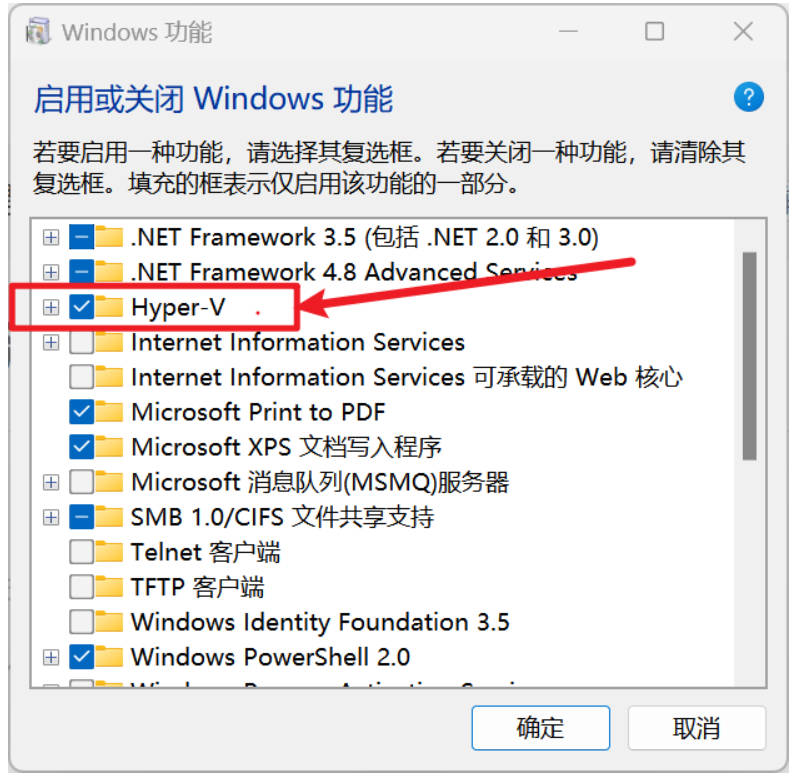
但是进入到启用或关闭Windows功能界面里又没有Hyper-V这个选项。
一般都是家庭版的系统没有这个选项,或者是莫名其妙就没有了这个选项,解决方法如下:
-
新建一个脚本文件,命名为 Hyper-V.cmd,内容如下:
1
2
3
4
5
pushd "%~dp0"
dir /b %SystemRoot%\servicing\Packages\*Hyper-V*.mum >hyper-v.txt
for /f %%i in ('findstr /i . hyper-v.txt 2^>nul') do dism /online /norestart /add-package:"%SystemRoot%\servicing\Packages\%%i"
del hyper-v.txt
Dism /online /enable-feature /featurename:Microsoft-Hyper-V -All /LimitAccess /ALL -
以管理员身份运行。下载完成后重启电脑就有Hyper-V这个选项了
启用或关闭Windows功能里没有Hyper-V选项
http://example.com/2026/05/14/启用或关闭Windows功能里没有Hyper-V选项/